







-
 Shipping

-
Warranty

Overview

| Color |
Black |
|---|---|
| Product Type |
USB Gaming and Streaming Microphone |
| Model |
M7 |
| Connection |
USB (Wired) |
| USB Connector |
USB-C (Microphone End) |
| Wireless |
No |
| RGB Lighting |
Integrated Multicolor RGB |
| On-Mic Controls |
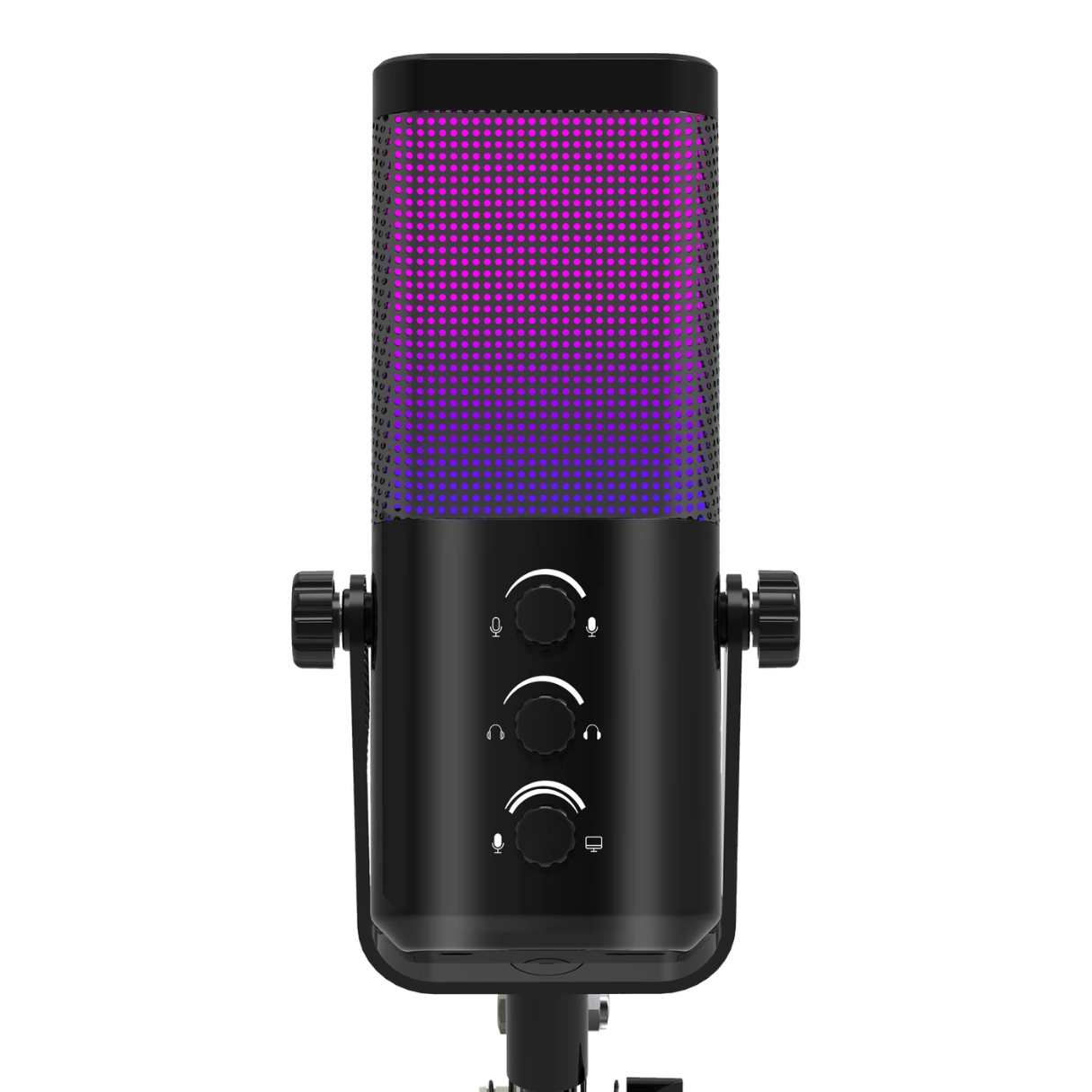
Three Front Rotary Knobs |
| Mute Control |
Microphone Mute Function |
| Monitoring |
Headphone Monitoring (Compatible USB Setup) |
| Microphone Mount |
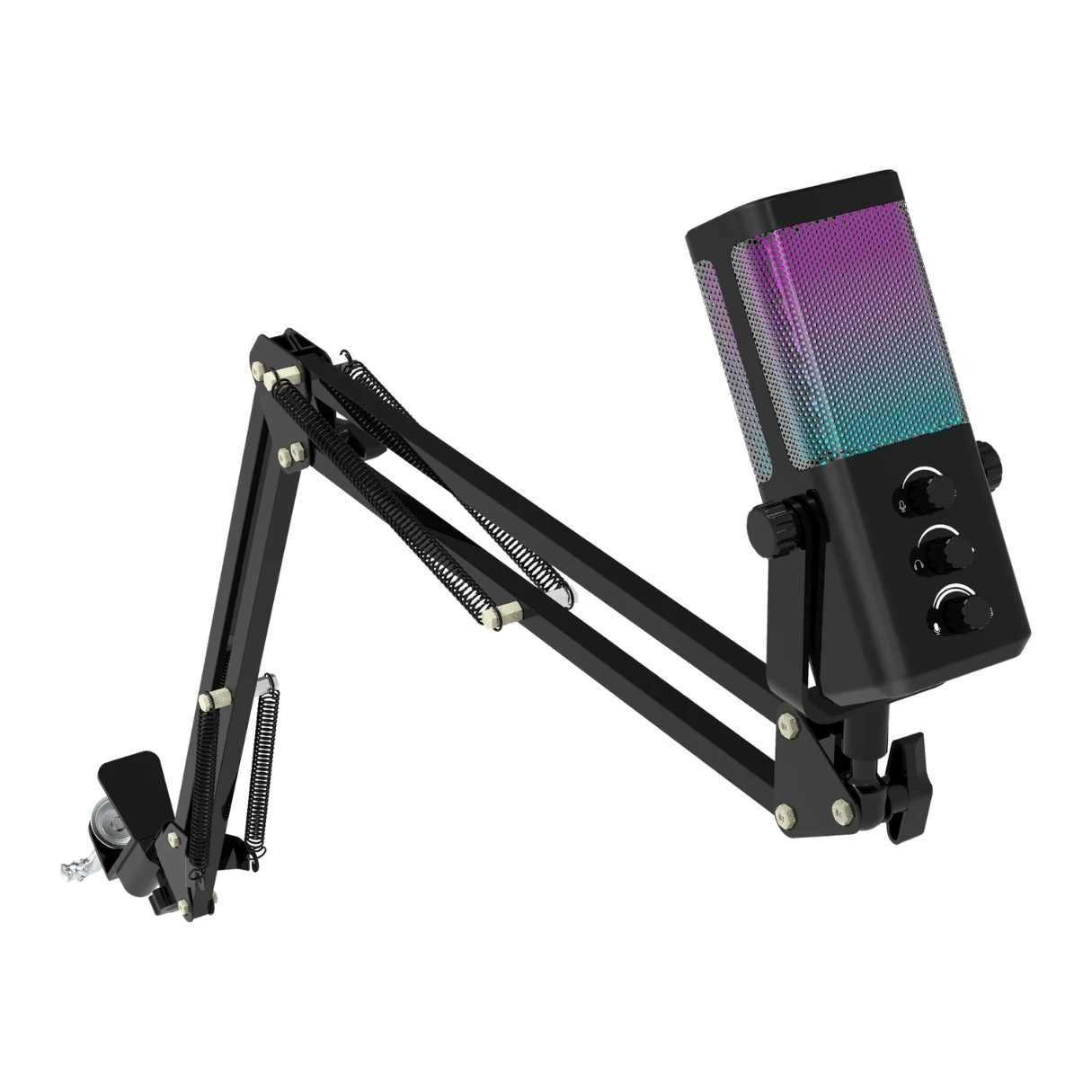
Adjustable Articulated Boom Arm |
| Desk Mount |
Desk Clamp |
| USB Cable |
Included |
| Included Accessories |
Boom Arm / Desk Clamp / USB Cable / Manual |
| Intended Use |
Gaming / Streaming / Podcasting / Voice Recording |
| Microphone Body Color |
Black |
| Manufacturer |
Unbranded |
M7 RGB Microphone for Gaming, Streaming and Podcasting
The M7 RGB Microphone is a wired USB microphone kit created for gamers, streamers, podcasters and people who want a dedicated microphone for desktop voice recording. It pairs a black microphone body with colorful RGB lighting, easy-to-reach front controls and an adjustable boom arm. Rather than requiring a permanent desk stand directly in front of your keyboard, the boom arm lets you bring the microphone toward your speaking position and move it aside when you need extra room.
Whether you are chatting with teammates, recording a tutorial or creating your first podcast, having the microphone in a consistent position makes everyday use more convenient. The M7 gives you a practical starting point with a ready-to-assemble desk mounting kit. The model is supplied in black in this PhoenixStore listing.
M7 RGB Microphone — Quick Overview
- Audio: Wired USB microphone for voice chat, streaming, podcasting and desktop recording.
- Controls: Three front-facing rotary knobs, with colorful RGB lighting around the microphone.
- Setup: Adjustable boom arm and desk clamp to keep your microphone positioned near your mouth.
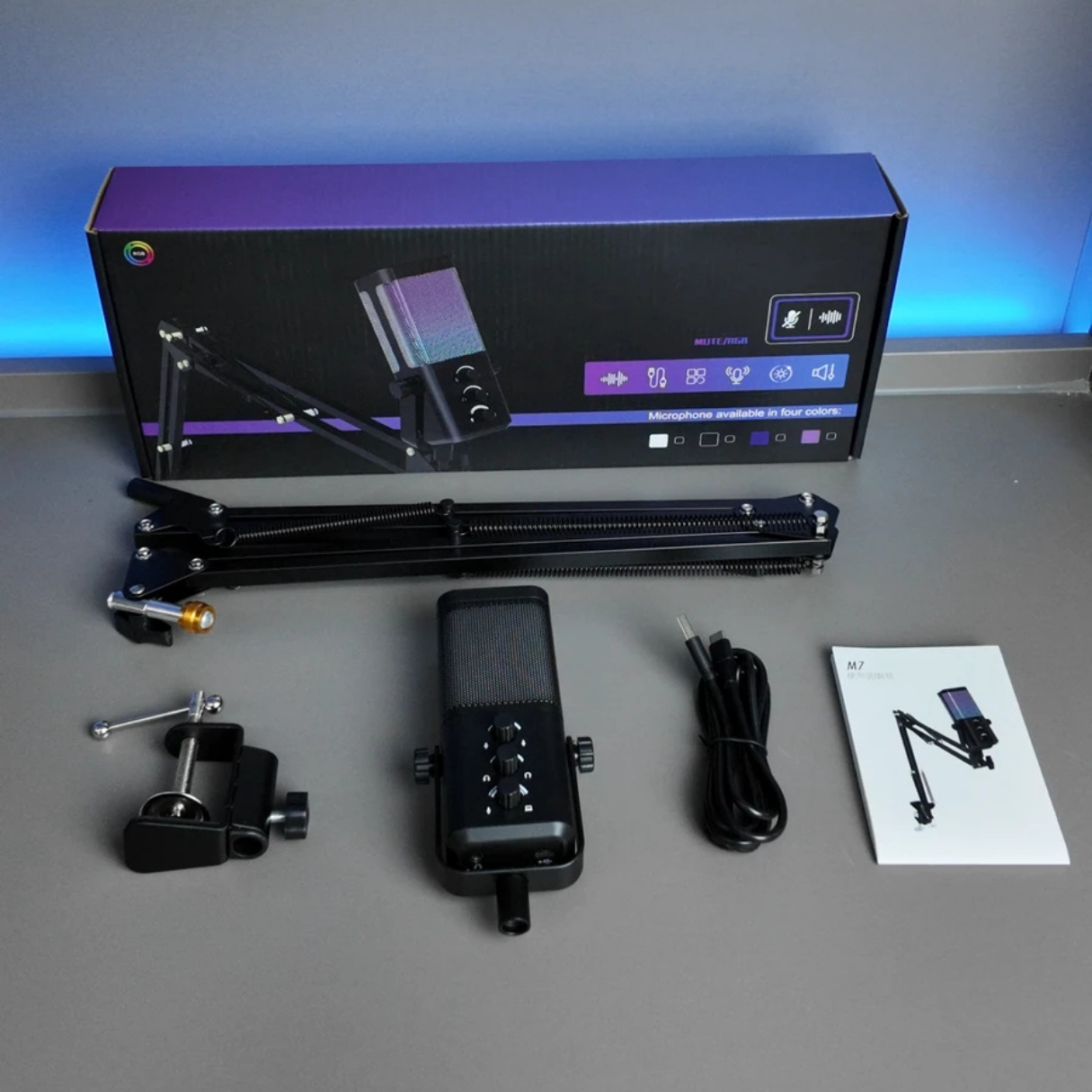
- In the box: Microphone, USB cable, boom arm, clamp and documentation, as pictured in the product gallery.
Why Choose the M7 RGB Microphone?
Dedicated USB Voice Recording
The M7 RGB Microphone uses a wired USB connection for a straightforward computer recording setup. Connect the included USB cable to a compatible computer, then choose the microphone as the input device in your operating system, game, meeting app or recording software. You can get started with a dedicated microphone without first adding an external mixer or XLR audio interface.
A USB microphone is particularly convenient for a desk shared between gaming, online meetings and content creation. It can be disconnected or repositioned when necessary, and it is easy to test recordings through a familiar computer application. The M7 is intended for a wired setup; it is not a wireless microphone.
Front Controls Within Easy Reach
The microphone features three visible rotary controls on the front panel. This puts common audio adjustments within reach of your hand during calls, recording and live streaming. Having controls on the microphone can be more convenient than repeatedly changing settings from a computer menu while you are playing or presenting.
As with any microphone, it is important to test your settings before a longer recording. Start at a moderate level, speak normally and check whether the signal sounds too quiet or distorted. If your voice is too loud or clips, reduce the input level; if it is too quiet, move closer and adjust the microphone settings as appropriate.

RGB Lighting for Your Gaming Setup
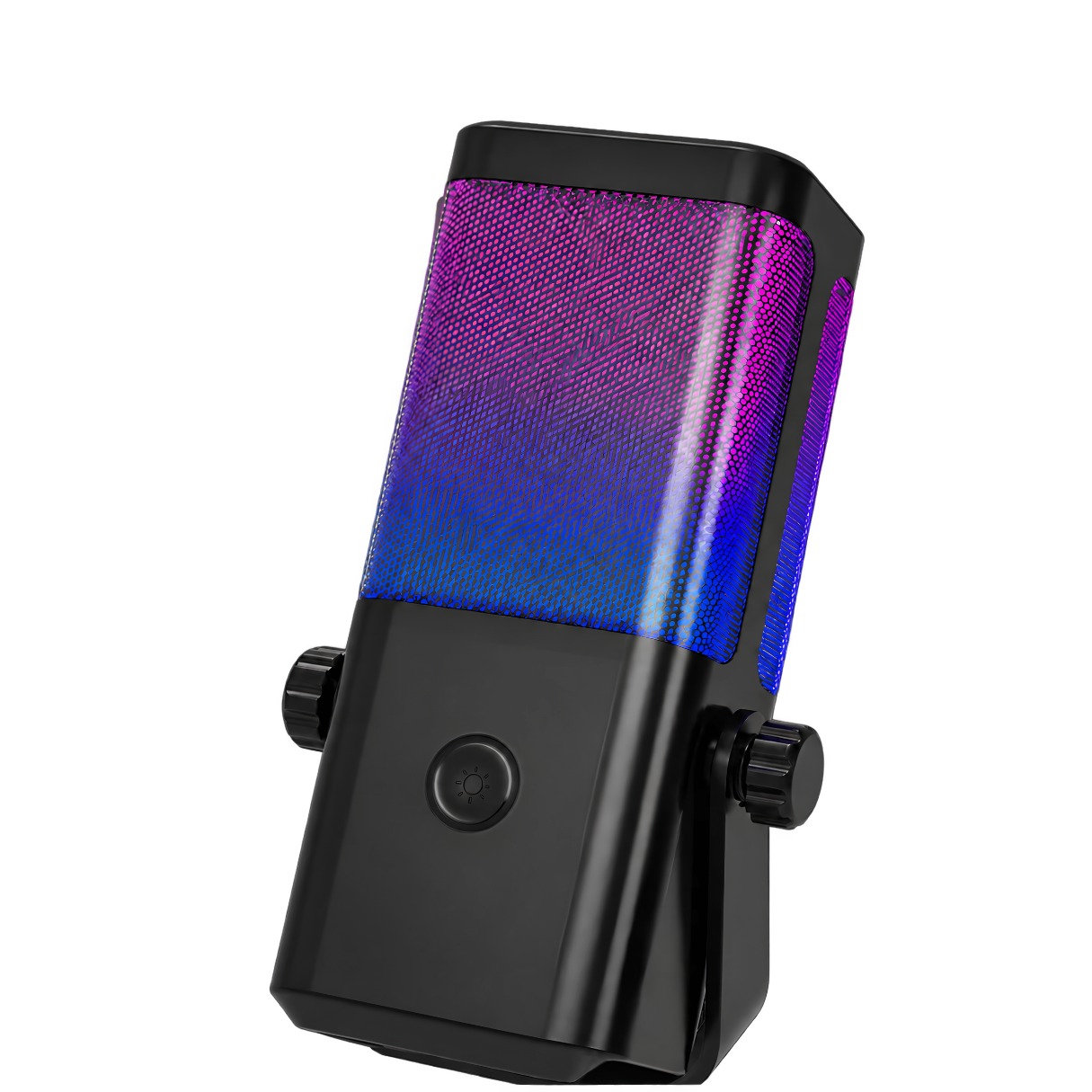
A key visual feature of the M7 RGB Microphone is the colorful illumination around the microphone grille. The lighting creates a distinctive look in an RGB gaming setup, particularly when the microphone is visible on camera. It works well beside RGB keyboards, desktop lighting and other accessories with multicolor accents.
The black microphone housing provides a neutral contrast to the RGB effect. This makes it an easy fit for darker desks and helps the lighting stand out without requiring a completely coordinated set of peripherals. The RGB design is primarily visual; microphone placement and input settings are still the most important factors for clear speech.
Adjustable Boom Arm and Desk Clamp
The included articulated boom arm offers flexible microphone placement. You can bring the microphone toward your mouth during a voice call or stream and move it out of the way when working, typing or making larger mouse movements. The included desk clamp attaches to a suitable desk edge, keeping the microphone elevated rather than taking up space on your desktop.
To set up the arm, secure the clamp on a stable desk surface, insert the boom arm, attach the microphone and adjust its angle gradually. Leave enough slack in the cable for movement and make sure the clamp does not damage a delicate desktop finish. Before each session, check that the arm is stable and that it is not pulling on the microphone connection.
Comfortable Microphone Placement for Clearer Voice
Positioning can make a meaningful difference in everyday recordings. Try keeping the microphone in front of your mouth at a comfortable distance and avoiding direct contact with the desk, keyboard or computer case. Maintaining consistent spacing while you speak will often help the voice level stay more even during a long conversation.
For gaming and voice calls, keep the microphone away from the main airflow of desktop fans and reduce unnecessary background noise in the room whenever possible. For podcasting or recorded commentary, make a short test recording and listen back through headphones before committing to a full session. Room acoustics, software processing and your speaking distance all influence the result.
A Complete Beginner-Friendly Microphone Kit
The M7 RGB Microphone kit pictured for PhoenixStore includes the microphone, an adjustable boom arm, a desk clamp, a USB cable and product documentation. These parts are designed to help you mount and connect the microphone without purchasing a separate arm. Check the gallery photos to see the supplied components before ordering.
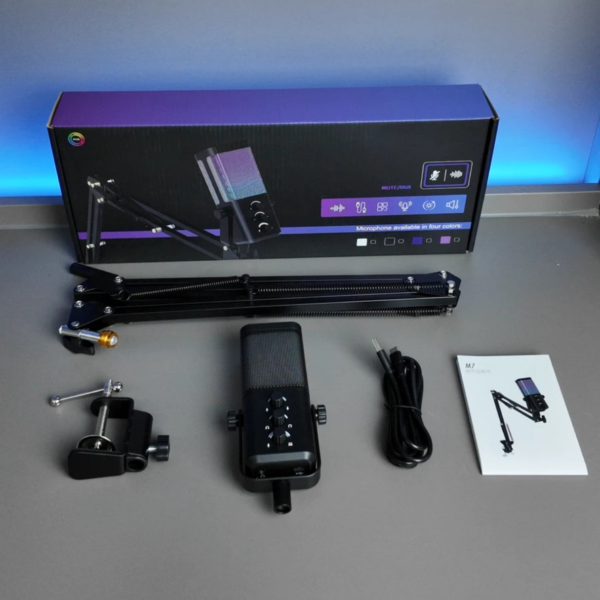
The included desk mounting setup is useful for people who want to begin recording but have limited desk space. It also makes the microphone easier to bring into frame for a livestream or move aside between calls. The kit is suited to a practical home workstation rather than a complex professional recording rack.
Who Is the M7 USB Gaming Microphone For?
- PC gamers: use a separate desktop microphone for team chat while preserving space for keyboard and mouse movements.
- Live streamers: combine voice recording, boom arm placement and RGB lighting in a camera-ready setup.
- Podcast beginners: build a straightforward USB recording desk without starting with an XLR interface.
- Online teachers and students: keep a dedicated microphone positioned for calls, lessons and presentations.
- Content creators: record commentary, tutorials and voice-overs while keeping microphone controls within reach.
How to Set Up the M7 RGB Microphone
- Secure the desk clamp firmly to a compatible desk edge.
- Attach the adjustable boom arm and install the microphone in its mount.
- Connect the microphone with the included USB cable to a compatible computer.
- Select the M7 as the microphone input in your operating system and in your recording or communication application.
- Set a comfortable microphone angle and adjust your recording level with a short voice test.
- Check the microphone’s front controls and RGB lighting before starting a stream or call.
Recording Tips for Your M7 RGB Microphone
For a more consistent recording, close noisy background applications when possible and keep the microphone position steady. If you plan to edit your recording later, leave enough input headroom so louder words do not distort. You can learn more about a basic recording workflow in the Audacity recording help center, an educational resource independent of the M7 manufacturer.
If you want to compare this USB microphone kit with other choices, explore the PhoenixStore microphones collection. Compare connection options, included mounting equipment and available stock to find the setup that suits your gaming desk.
Buy the M7 RGB Microphone in Morocco
The M7 RGB Microphone is a practical black USB gaming microphone kit with colorful lighting, front-panel controls and a desk-mounted boom arm. Its all-in-one mounting accessories make it useful for gaming, streaming, podcasting and everyday voice communication. Order the M7 from PhoenixStore Morocco and check the current stock information before checkout.

Reviews
Clear filtersThere are no reviews yet.