




-
 Shipping

-
Warranty

Overview

| Brand |
ZENO |
|---|---|
| Model |
M8 |
| Support Type |
Single Monitor Gas Spring Arm |
| Monitor Size |
17–32 inches |
| Load Capacity |
3–9 kg |
| VESA Compatibility |
75×75 mm / 100×100 mm |
| Tilt Range |
-70° to +70° |
| Pivot Rotation |
360° |
| Adjustable Range |
132–409 mm (published) |
| Mounting Options |
C-Clamp / Grommet |
| Desk Thickness |
Up to approx. 95 mm |
| Grommet Hole Size |
Approx. 20–60 mm |
| Build Material |
Aluminum Alloy |
| Cable Management |
Integrated |
| Color |
Black |
| Number of Screens |
1 |
ZENO M8 Monitor Arm – Gas Spring Desk Mount for 17–32 Inch Screens
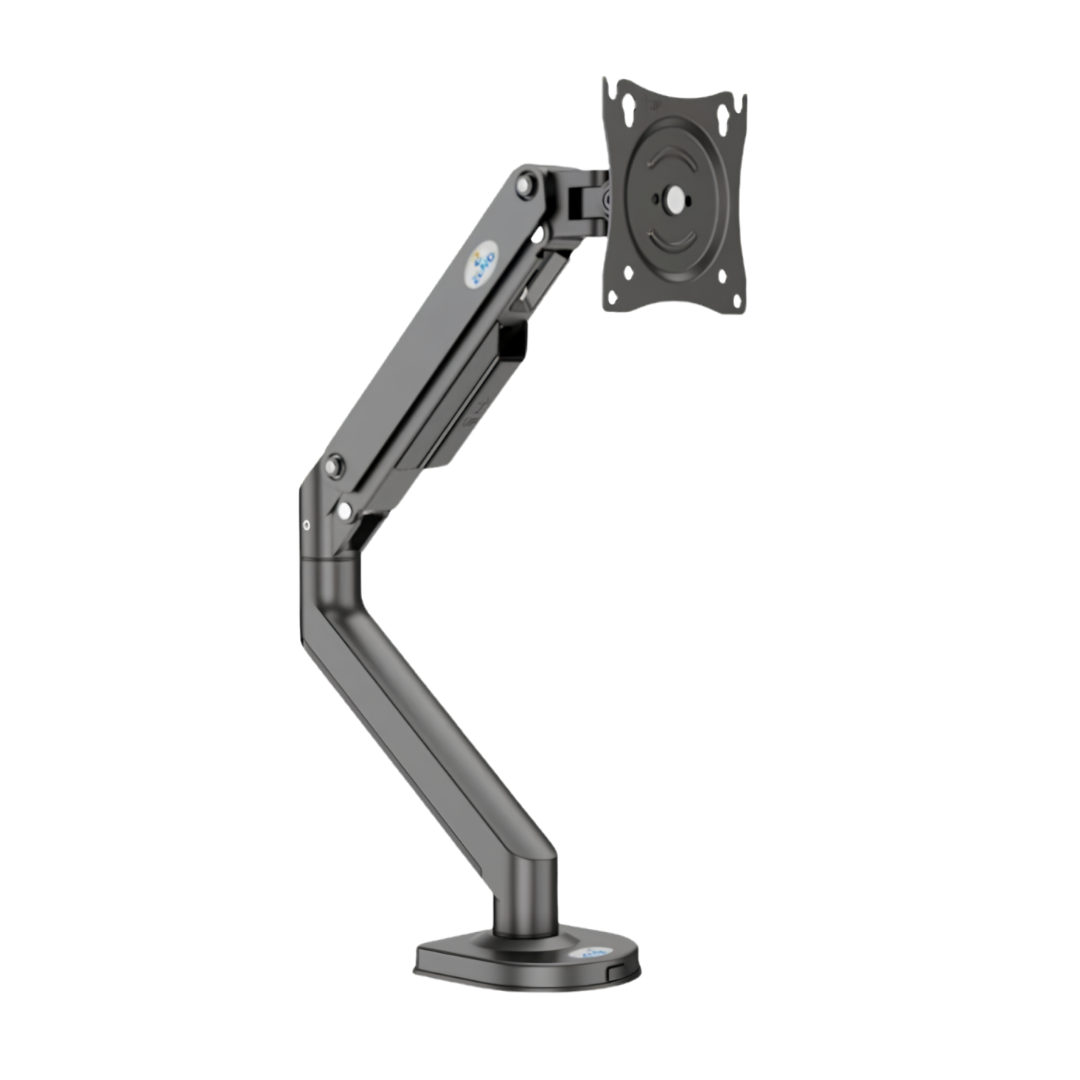
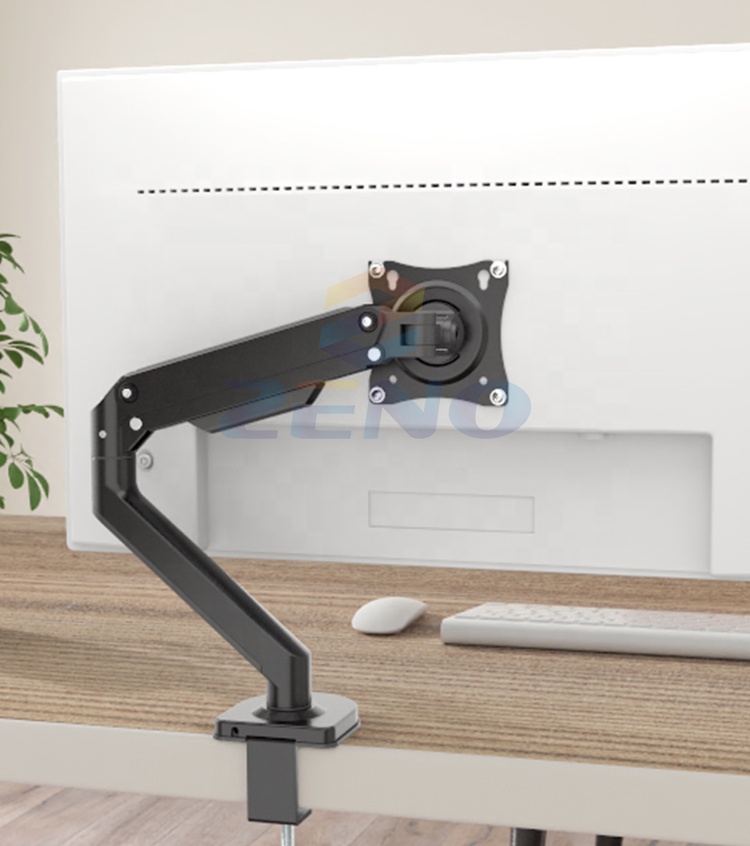
The ZENO M8 Monitor Arm is an adjustable single-monitor desk mount designed to free up desktop space and help position your screen at a comfortable viewing height. This gas spring monitor arm is intended for compatible displays from 17 to 32 inches, with a supported screen weight range of 3–9 kg and standard VESA 75×75 mm or 100×100 mm mounting patterns.
Its adjustable arm, flexible swivel and rotation, integrated cable routing and desk-mounted design are practical for gaming setups, home offices and everyday workstations. The ZENO M8 offers two common mounting approaches: a desk-edge clamp or a through-desk grommet installation, subject to desk compatibility.
ZENO M8 Monitor Arm – Quick Overview
- Single Monitor Support: Designed for one compatible 17–32-inch screen.
- Weight Capacity: Supports displays in the 3–9 kg range; check your monitor’s weight without its original stand.
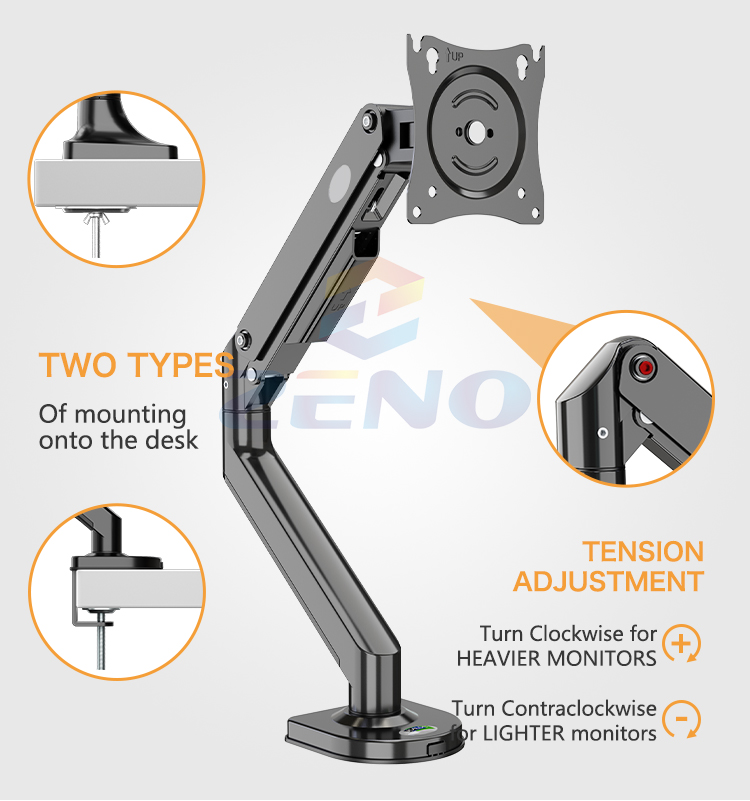
- Gas Spring Mechanism: Adjustable tension helps balance the supported screen when configured correctly.
- VESA Compatibility: 75×75 mm and 100×100 mm mounting patterns.
- Tilt Adjustment: Manufacturer/reseller specifications list approximately -70° to +70° tilt.
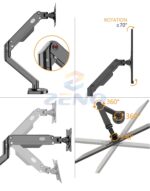
- Rotation: Up to 360° pivot for compatible portrait and landscape setups.
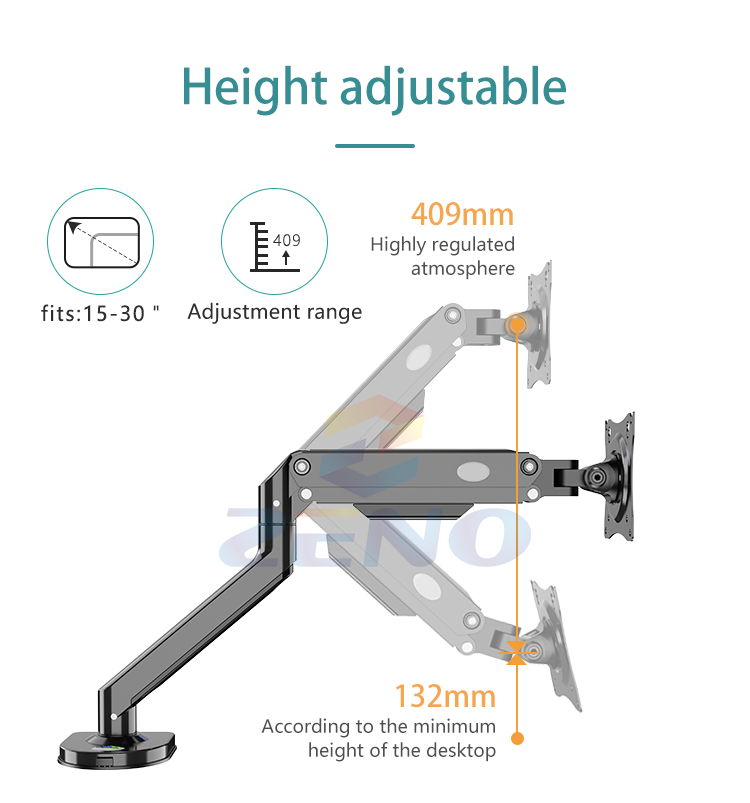
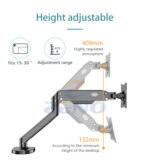
- Adjustable Position: Listed adjustable height/arm range of approximately 132–409 mm.
- Mounting Options: Desk clamp or grommet mounting, depending on the desk surface.
- Cable Management: Integrated routing for a cleaner desk.
- Finish: Black, with a reinforced aluminum-alloy structure.
Why Choose the ZENO M8 Gas Spring Monitor Arm?
More Desk Space for Your Gaming Setup
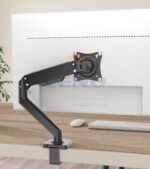
A monitor’s original stand can take up valuable room in front of your keyboard and mouse. By mounting your display to the desk, the ZENO M8 monitor support can free that space for your gaming gear, microphone, mousepad or work accessories. It also gives you more flexibility to adjust the screen position instead of being limited to the adjustments built into the original stand.
The ZENO M8 is a single monitor arm, not a dual-monitor mount. For two screens, you would need two suitable single arms or a dedicated dual-monitor model, subject to desk space and mounting conditions.
Gas Spring Height and Position Adjustment
The ZENO M8 gas spring monitor arm uses a tension-adjustable spring system to help support a compatible monitor as you move it to a suitable height and distance. Reseller specifications list an adjustment range of approximately 132–409 mm. The available movement depends on the monitor’s size, the mounting location and clearance around your desk.
Gas spring tension must be adjusted for the weight of your display. A monitor outside the specified 3–9 kg range may not balance correctly even if its screen size appears compatible. Always follow the assembly and adjustment instructions supplied with the product.
Compatible with 17–32 Inch Monitors
For most common desk setups, the first compatibility checks are screen size, weight and VESA mounting holes. The ZENO M8 is listed for 17–32-inch monitors weighing between 3 and 9 kilograms. The quoted weight is for the monitor itself, so verify the manufacturer’s specification without its standard desk stand.
Curved and unusually shaped monitors may require additional clearance, even when their diagonal size and VESA hole spacing meet the published limits. Check the rear of your monitor for accessible VESA mounting points and enough room around the bracket.
VESA 75×75 and 100×100 Mounting
The ZENO M8 supports the common 75×75 mm and 100×100 mm VESA mounting patterns. Measure the horizontal and vertical distance between the four mounting holes on the back of your monitor, or check its technical specifications.
Some monitors use a recessed mounting area or need special spacers. If that applies to your screen, check the included mounting hardware and the monitor’s instructions before installing the arm. The VESA pattern is only one part of compatibility; screen weight and mounting clearance are equally important.
Tilt, Swivel and 360° Pivot
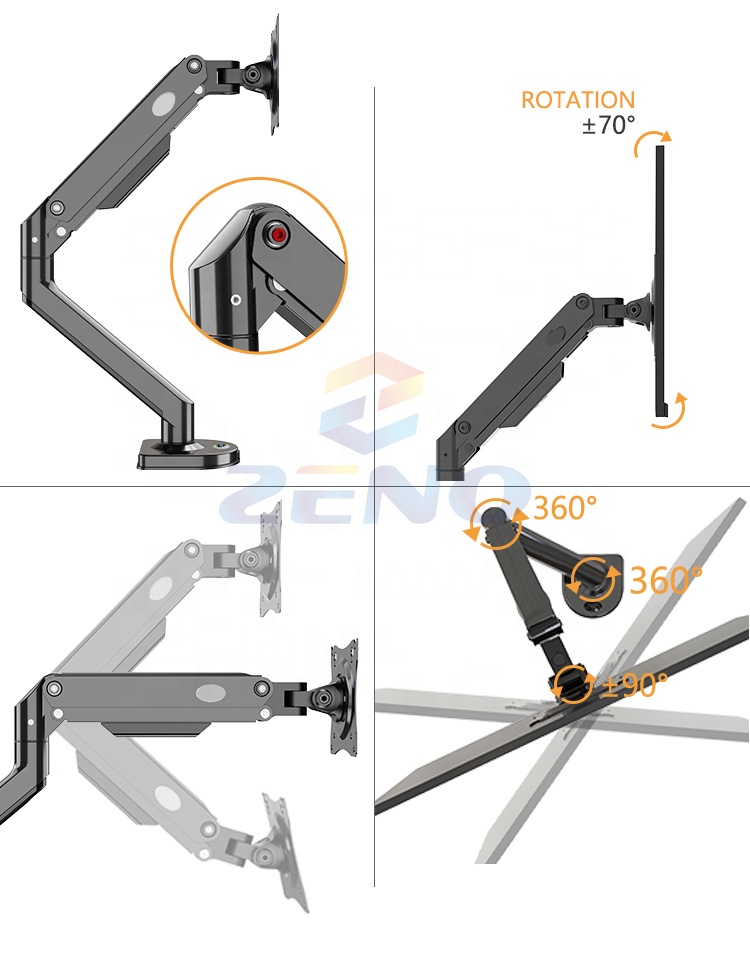
To make the viewing angle more flexible, the ZENO M8 adjustable monitor arm provides tilt and rotational adjustment. Published listings specify approximately -70° to +70° tilt and up to 360° pivot, which can help when switching a supported screen between landscape and portrait orientation.
Rotation and adjustment limits depend on the screen size, cable slack, desk placement and available space. Leave enough clearance so the screen and arm do not contact the wall, desk or surrounding accessories when moving.
Desk Clamp and Grommet Installation
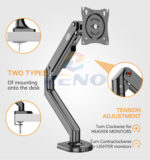
The ZENO M8 can be installed using a desk-edge C-clamp or a through-desk grommet mount, according to published product specifications. A desk clamp is useful when you want to avoid making a new mounting hole. Grommet installation requires a suitable existing opening or a properly prepared desk.
Published guidance for the M8 lists a clamp compatible with desks under approximately 95 mm thickness, plus grommet openings around 20–60 mm. Always verify the actual mounting hardware and desk suitability before installation. Avoid attaching monitor arms to weak, damaged or unstable edges.
Integrated Cable Routing and Black Finish
Integrated cable management helps guide your display’s power and video cables along the monitor arm instead of leaving them loose across the desk. The black aluminum-alloy construction fits neatly into many gaming and professional workstation setups.
When routing cables, allow sufficient slack for the full adjustment range. Excessively tight HDMI, DisplayPort or power cables can limit arm movement and strain the connectors.
ZENO M8 Monitor Arm – Technical Specifications
- Brand: ZENO
- Model: M8
- Product Type: Single monitor gas spring desk arm
- Monitor Size: 17–32 inches
- Supported Load: 3–9 kg
- VESA Pattern: 75×75 / 100×100 mm
- Tilt: Approximately -70° to +70°
- Screen Pivot: Up to 360°
- Adjustable Range: Approximately 132–409 mm (published specification)
- Mounting Options: Desk C-clamp / grommet
- Desk Clamp Thickness: Under approximately 95 mm, subject to fit
- Grommet Hole: Approximately 20–60 mm, subject to fit
- Construction: Aluminum alloy
- Color: Black
- Cable Management: Integrated
Check Compatibility Before You Order
Before buying the ZENO M8 monitor arm, confirm that your screen weighs at least 3 kg and no more than 9 kg, that its mounting pattern is VESA 75×75 or 100×100 mm, and that your desk has a suitable solid edge or grommet mounting position. Do not rely on screen size alone.
The product is normally supplied as a monitor mounting kit with hardware and installation instructions; the precise accessory pack may vary by batch. The monitor itself is not included.
ZENO M8 Monitor Arm – FAQs
Does the ZENO M8 hold a 32-inch monitor?
Yes, the published specification covers 17–32 inches, provided the screen also weighs between 3 and 9 kg and uses a supported VESA pattern.
Can I rotate my monitor into portrait mode?
The arm supports up to 360° screen pivot. Make sure your screen, cables and desk surroundings allow enough clearance before rotating it.
Does the ZENO M8 support two monitors?
No. It is a single monitor arm designed to support one compatible display.
Do I have to drill my desk?
Not necessarily. The ZENO M8 supports desk-clamp mounting when your desk has a suitable edge. The alternative grommet method uses a suitable hole in the desktop.
Buy ZENO M8 Monitor Arm in Morocco
Upgrade your workstation with the ZENO M8 Monitor Arm from PhoenixStore Morocco. Its gas spring adjustment, VESA compatibility and integrated cable routing make it a practical choice for cleaner gaming desks and office setups. Compare related monitor supports and stands at PhoenixStore before choosing your mount.
For more information about screen mounting interface standards, explore the Video Electronics Standards Association (VESA). Confirm the actual ZENO M8 compatibility specifications and mounting hardware before fitting your monitor.

Reviews
Clear filtersThere are no reviews yet.